~/games / c64pack
$ ./c64pack
//

c64pack
- what
- Windows tool for C64 game makers
- status
- released
- price
- 5.00€ on itch.io
# trailer
// plays from youtube-nocookie.com when you click it.
# screenshots
# about
Turn a Commodore 64 game into a Windows app. Give c64pack a .d64, .crt, .tap or .zip; get an app your players double-click to play, with the controls, picture and sound you chose. The VICE emulator runs the game inside it.
Everything it does
- Any C64 game file: .d64 .g64 .d71 .d81 disks, .crt cartridges (EasyFlash saves kept), .tap and .t64 tapes, .prg, or a .zip holding one.
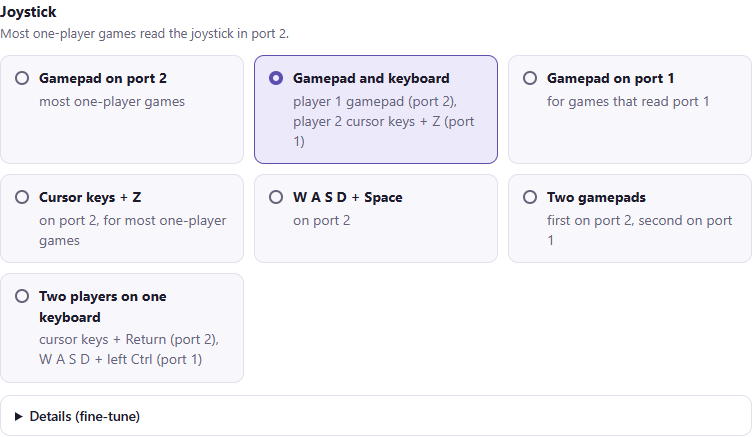
- Controls: gamepads, numeric keypad or keyboard keys on either joystick port (cursor keys, WASD, IJKL with your choice of fire button), autofire, two players, 11 keyboard layouts, symbolic or positional keys.
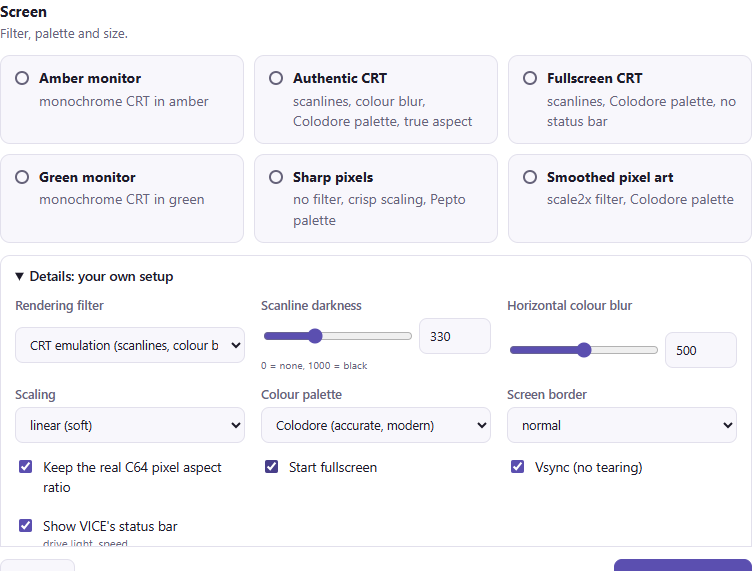
- Picture: CRT emulation with adjustable scanlines and colour blur, sharp pixels or scale2x, 15 palettes (Colodore, Pepto, green/amber monitors...), borders, true aspect ratio, fullscreen or window, vsync.
- Sound and machine: 6581 or 8580 SID, PAL or NTSC, exact 1541 drive emulation, warp loading, custom ROMs such as JiffyDOS.
- Templates: one click sets a whole group; make your own.
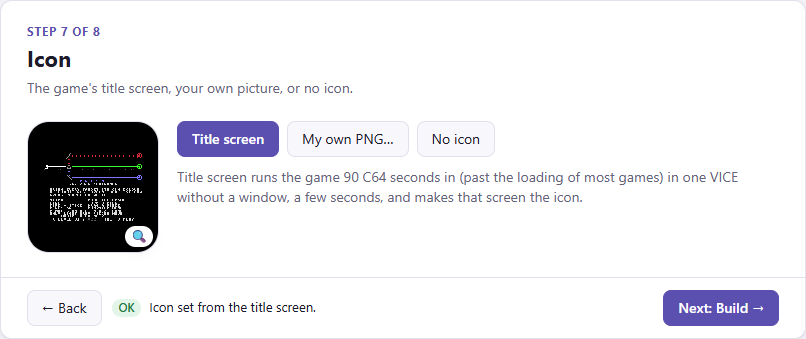
- Icon: c64pack plays your game and takes its title screen as the icon, or use your own picture.
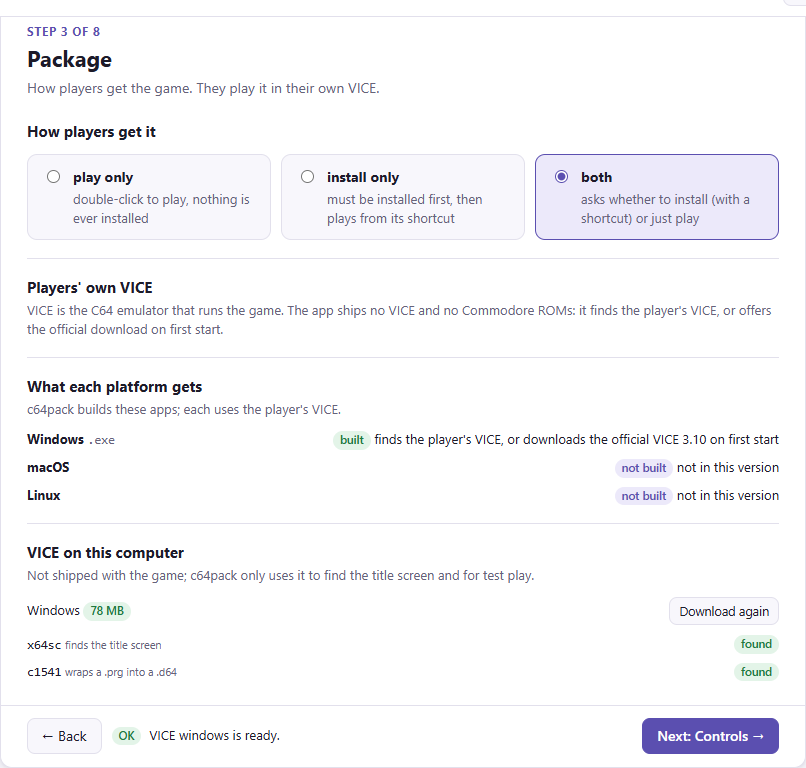
- Three package types: play only, install only, or both. Installed games get desktop and Start menu shortcuts, appear in Windows' Installed apps, and uninstall cleanly; saves survive updates and uninstalls.
- The player's own VICE: a small app that uses the player's VICE and downloads the official one in one click if missing (shared by all your games, never removed by an uninstall).
- Updates: ship a new version and installed players are offered the update. Saves stay; when the new version brings a new game disk, the old one (with its saves) is kept and can be restored.
- Multi-disk games: keep every disk of a zip; players switch with Alt+N.
- Test play: play the game with your settings without building.
What your players get
- How to play: the controls and keys at the first start, and a
How to play.htmlto send with the game. - In-game options that stick: VICE's settings (Alt+O) for controls, joysticks, picture and sound; what a player changes is kept for next time, on top of your settings, and survives updates.
- Continue where they left off: Alt+F11 quick-saves, Alt+F10 picks up again, and each game keeps its own.
- The game's options: hold Shift while starting it to restore an earlier save, start a fresh disk, reset the settings or see how to play.
- No gamepad? Still playable: a gamepad port falls back to the arrow keys when none is connected.
- Two ways to work: a step-by-step wizard in your browser, or the command line, where every setting is a flag.
Step by step
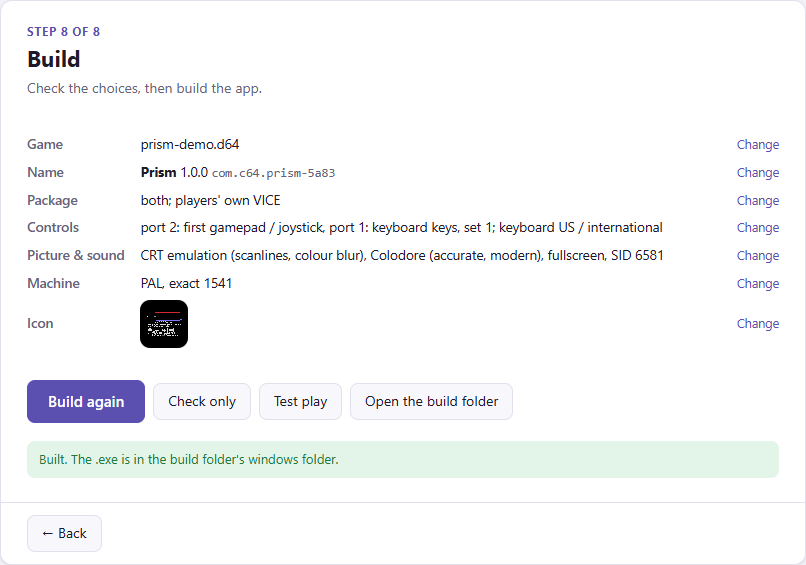
c64pack opens in your browser as a wizard: eight steps from the game file to the finished app. Templates set a whole group at once and every field stays editable.
Or one line
c64pack --console setup game.d64 --title "My Game" --mode installer --port2 pad1 --fullscreen --filter crt --sid 8580 --icon auto --yes --build
c64pack --console lists every command and flag; the manual has them all.
Getting started
- Run the installer (c64pack-1.0.1-setup.exe). It installs for you alone, no administrator rights, with desktop and Start menu shortcuts, and starts c64pack when it is done. Or take the zip, unzip it anywhere and double-click c64pack.exe.
- Windows may show "Windows protected your PC" the first time: click More info, then Run anyway.
- Follow the eight steps: choose the game, name it, pick the controls, picture and sound, make the icon, then click Build the app.
- For the title-screen icon and test play, the wizard downloads VICE to your computer with one click. It is not put in your games.
The full guide, Manual.html, comes with c64pack (in the Start menu as "c64pack manual").
Requirements
Windows 10 or 11 (64-bit), for you and your players. Version 1 builds Windows apps; Mac and Linux builds are planned.
Selling the games you make
Your games are yours to sell. They carry no emulator and no Commodore ROMs: players get VICE from the VICE project with one click. The manual explains the GPL and ROM details.
Thanks to VICE
c64pack exists because of VICE, the Versatile Commodore Emulator: decades of free work by the VICE team, and it does all the emulation. If your players enjoy your game, VICE is why it plays so well.
c64pack is not affiliated with the VICE project or with Commodore.