How to remove ‘Unknown Locale (qaa-Latn)’ from windows
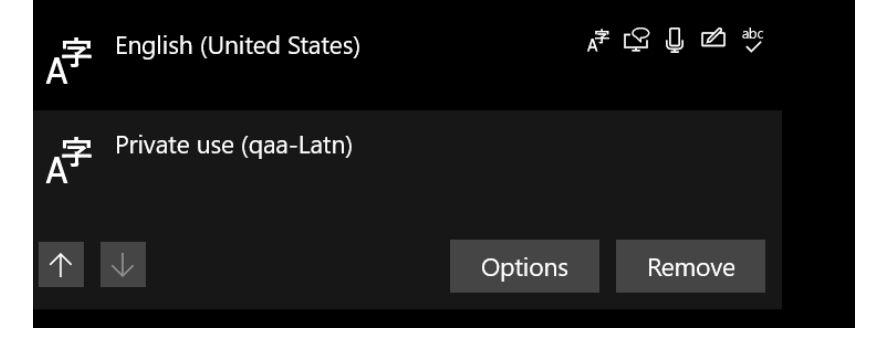
This tend to happen after windows update, the problem is that you cannot delete it from language preferences because is not listed there in order to remove it and is super annoying in case that you have a dual keyboard like me (Greek — US).
Fortunately there is a powershell hack that allows you to add the locale to the languages preference menu so you can delete it using the UI, to do this open a powershell as admin and enterPS C:\WINDOWS\system32> $LanguageList = Get-WinUserLanguageList
PS C:\WINDOWS\system32> $LanguageList.Add("qaa-latn")
PS C:\WINDOWS\system32> Set-WinUserLanguageList $LanguageList -Force
Now go to Language settings of windows, a menu that allows you to delete the qaa-latn locale will show up
Removing this will remove it from the language taskbar as well
Note that the locale might come back again after a windows update.
$ ls ./see-also/
$ ./buy-me-a-coffee ☕ // found this useful? I write these in my spare time