Object detection using Python and the YOLO library

In this very short article i will show you a very simple example on how to use the YOLO library with pre-trained models, i think its the simplest example someone can make with YOLO, but most of the times simple things is what you need to start exploring a new topic!
What is YOLO
I will not get too technical on how YOLO works, i will focus mostly in the most important parts you need to know about
- Its very fast which make it suitable for real time applications
- YOLO processes the image in a single pass through a neural network to make detection and classification
- Bounding box predictions include coordinates of box center along with width and height of the box, plus the confidence score of the prediction
- Class prediction, also includes label of the detected objects of the image
- Multiple scales, it allows detects objects of various scales
- Pre-trained, it comes with many pre-trained models that have been trained in large datasets
- Customization, you can train new models for YOLO
Installing YOLO
Create the following file as requirements.txt
cvzone==1.5.6
ultralytics==8.0.26
hydra-core>=1.2.0
matplotlib>=3.2.2
numpy>=1.18.5
opencv-python==4.6.0.66
Pillow>=7.1.2
PyYAML>=5.3.1
requests>=2.23.0
scipy>=1.4.1
torch>=1.7.0
torchvision>=0.8.1
tqdm>=4.64.0
filterpy==1.4.5
scikit-image==0.19.3
lap==0.4.0
Install the libraries with pip3 install -r requirements.txt , Please note that there might be inconsistencies between the package versions and the Python versions, those packages working with Python 3.10
The code
Create the following file as simple_detect.py
#!/usr/bin/env python3
from ultralytics import YOLO
import sys
import cv2

if __name__ == '__main__':

    model   = YOLO('yolov8n.pt')
    results = model(sys.argv[1],show=True)
    cv2.waitKey(0)
    cv2.destroyAllWindows()
The following lines imports the YOLO library and load the pretrained model
from ultralytics import YOLO
model = YOLO('yolo8n.pt')
This line does the actual processing of an image given from the command line
results = model(sys.argv[1],show = True)Testing
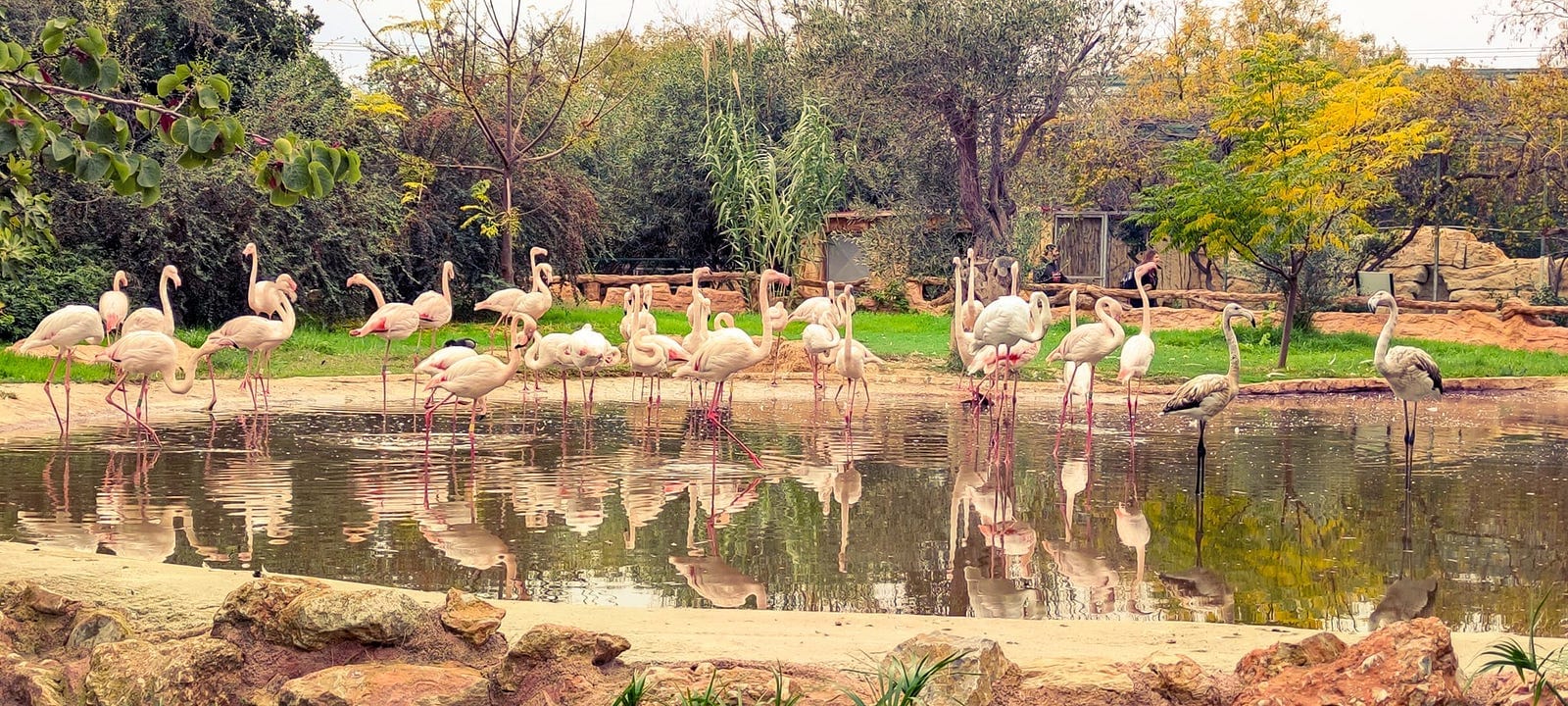
Lets test the script with this image, some birds at the zoo!
Running the script
simple_detect.py birds.jph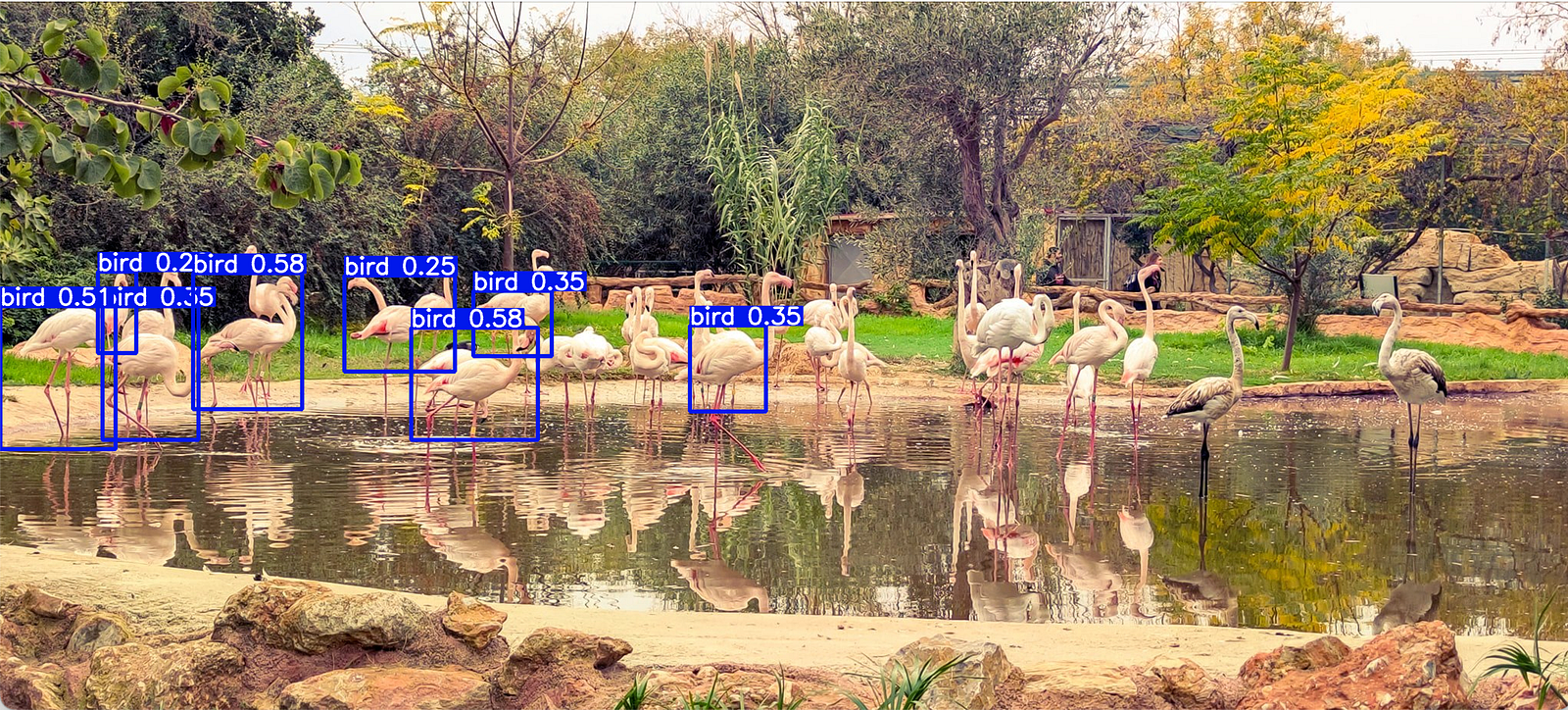
We can see that detected some birds, other birds havent detected at all, we also can see the classification and the confidence level of the classification
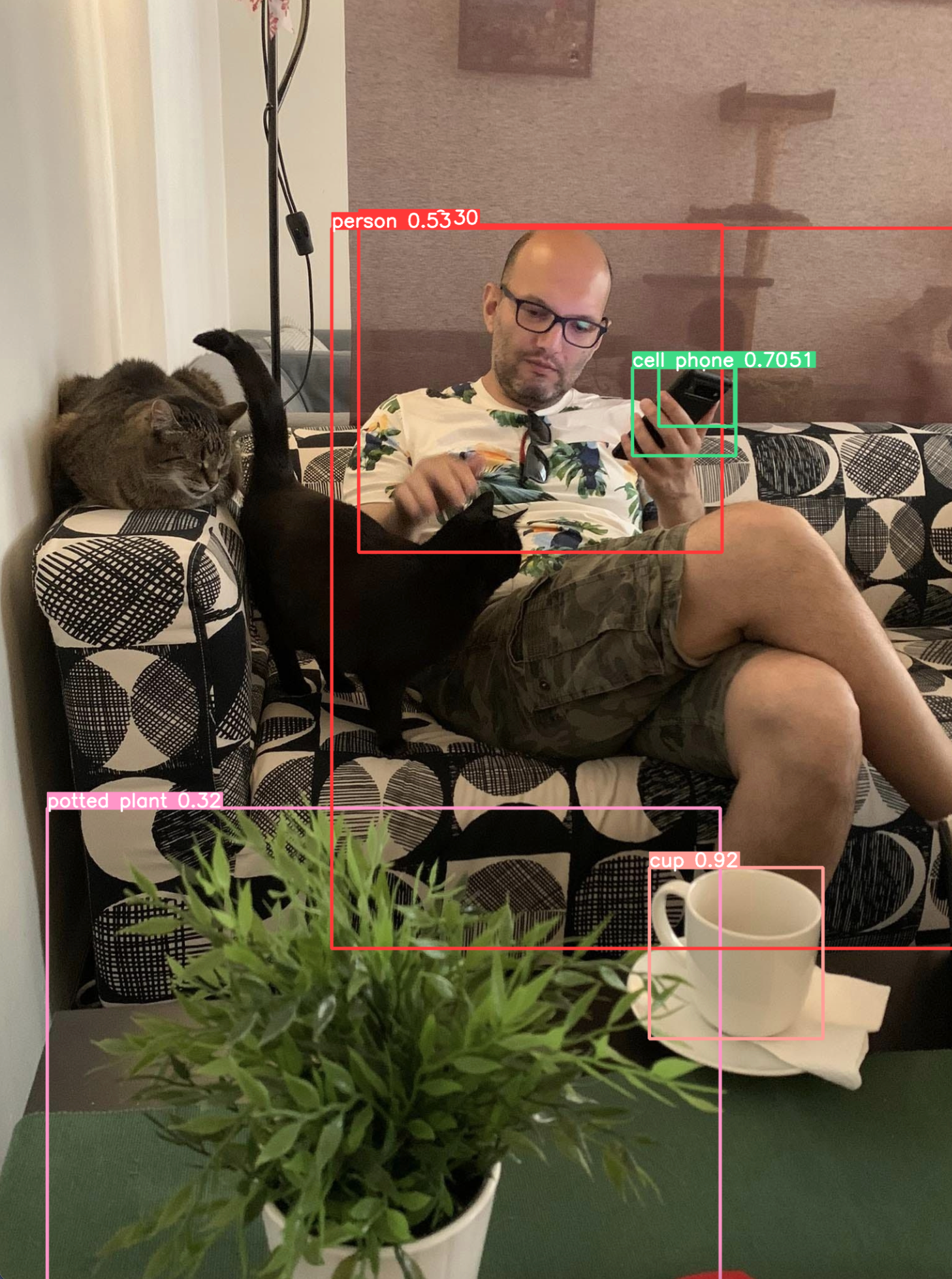
Lets try with another one image, me with some cats

Running the script vs this image produced better results but still the stars of the photo (the cats have not been detected)
Conclusion
Computer vision is a new to me concept but is very exciting! i think its not very easy to understand in depth but still the libraries are very useful and without any deep tunning can produce very good results! i hope you enjoyed this article as much i enjoyed writing it.
$ ls ./see-also/
$ ./buy-me-a-coffee ☕ // found this useful? I write these in my spare time