Pandas: How to Process a Dataframe in Parallel

Pandas is the most widely used library for data analysis but its rather slow because pandas does not utilize more than one CPU core, to speed up things and utilize all cores we need to break our data frame to smaller ones, ideally in parts of equal to the number of available CPU cores.
Python concurrent.futures allows as to easily create processes without the need to worry for stuff like joining processes etc, consider the following example (pandas_parallel.py)
And the CSV file that we will use it to create the Dataframe
https://github.com/kpatronas/big_5m/raw/main/5m.csv
Explaining the Code
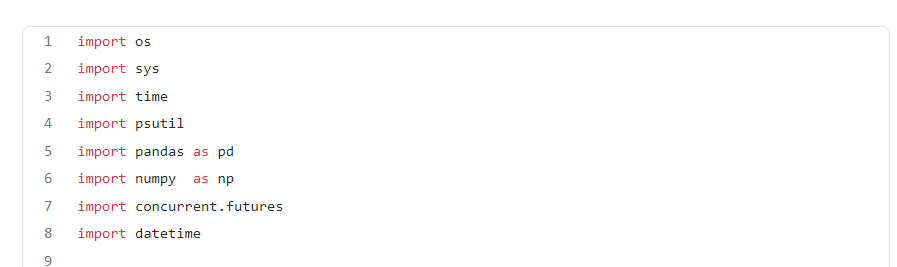
Those are the libraries we need, concurrent.futures is the one that provides what we need to execute process the data frame in parallel
The do_something function accepts a Dataframe as parameter, this function will be executed as a separate processes in parallel
The bellow functions return the Parent PID and the current process PIDos.getpid()
os.getppid()
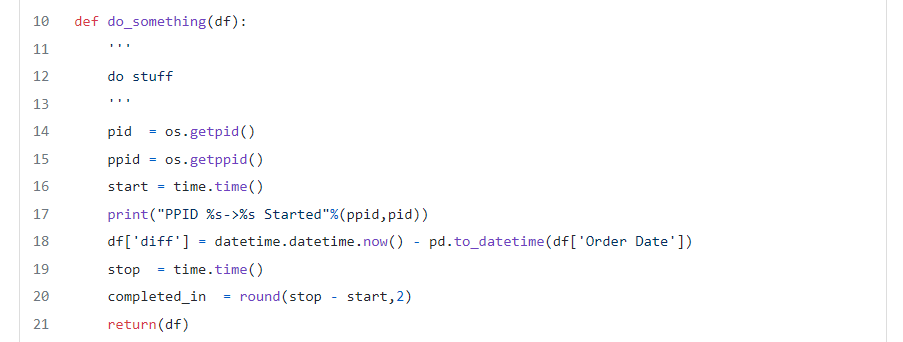
The pandas operation we perform is to create a new column named diff which has the time difference between current date and the one in the “Order Date” column. After the operation, the function returns the processed Data frame
The bellow part of the code is actually the start and initiation part of our script
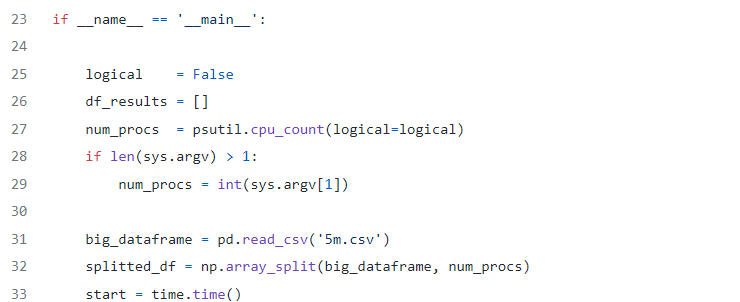
- line 27 defines the number of parallel processes based on the number of CPU cores (logical or not) unless a parameter of how many processes to be created have been provided.
- line 32 splits the Dataframe in smaller data frames, equal to the number of
num_procswhich has been assigned in line 27
This part uses the ProcessPoolExecutor to create an executor object that will create a number of parallel processes equal to num_procs.
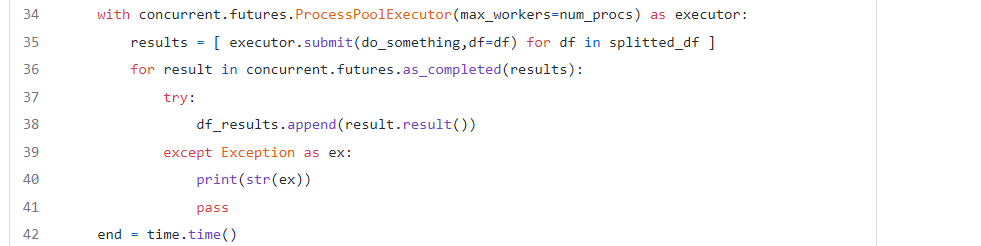
- line 35 starts the processes with each process executing the
do_somethingfunction with a Dataframe from thesplitted_dfdata frames as parameter - line 36 waits for all processes to be completed and appends the returned Dataframe from the
do_somethingfunction to thedf_resultslist
Last but not least, line 45 concatenates all pandas Dataframes to a single Dataframe.

Caveats
- Using multiple processes has its limitations, the ideal number of processes should be equal to the number of CPU cores.
- Creating processes means that there is an extensive memory overhead.
- Processing Dataframes in parallel can be tricky! multiprocessing can cause wrong results in case that a calculation of rows requires data from other Dataframes that processed in parallel.
Performance
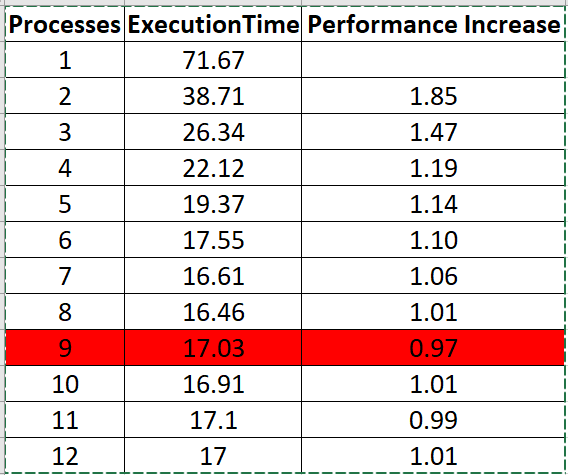
Lets see the performance of parallel processing in my 8 core machine
- There is a performance increase as long as we don't exceed the number of cores
- Performance increase is not linear and tends to be smaller as we create more processes
- When we exceed the number of cores the performance gets worse
I hope you found this article useful and help you create super fast Pandas applications :)
$ ls ./see-also/
$ ./buy-me-a-coffee ☕ // found this useful? I write these in my spare time