Python: How to Properly Configure a Project as a GitHub Repository

Usually when we work on Python projects we create virtual environments per project, those files are not needed under version control so it doesn't make sense to include them to the repository files, also configuring the project to push changes to remote repositories might be something trivial to experienced developers but new developers might struggle to do the configuration. In this article i will show you how to perform a Python project properly as Github repository, lets start!
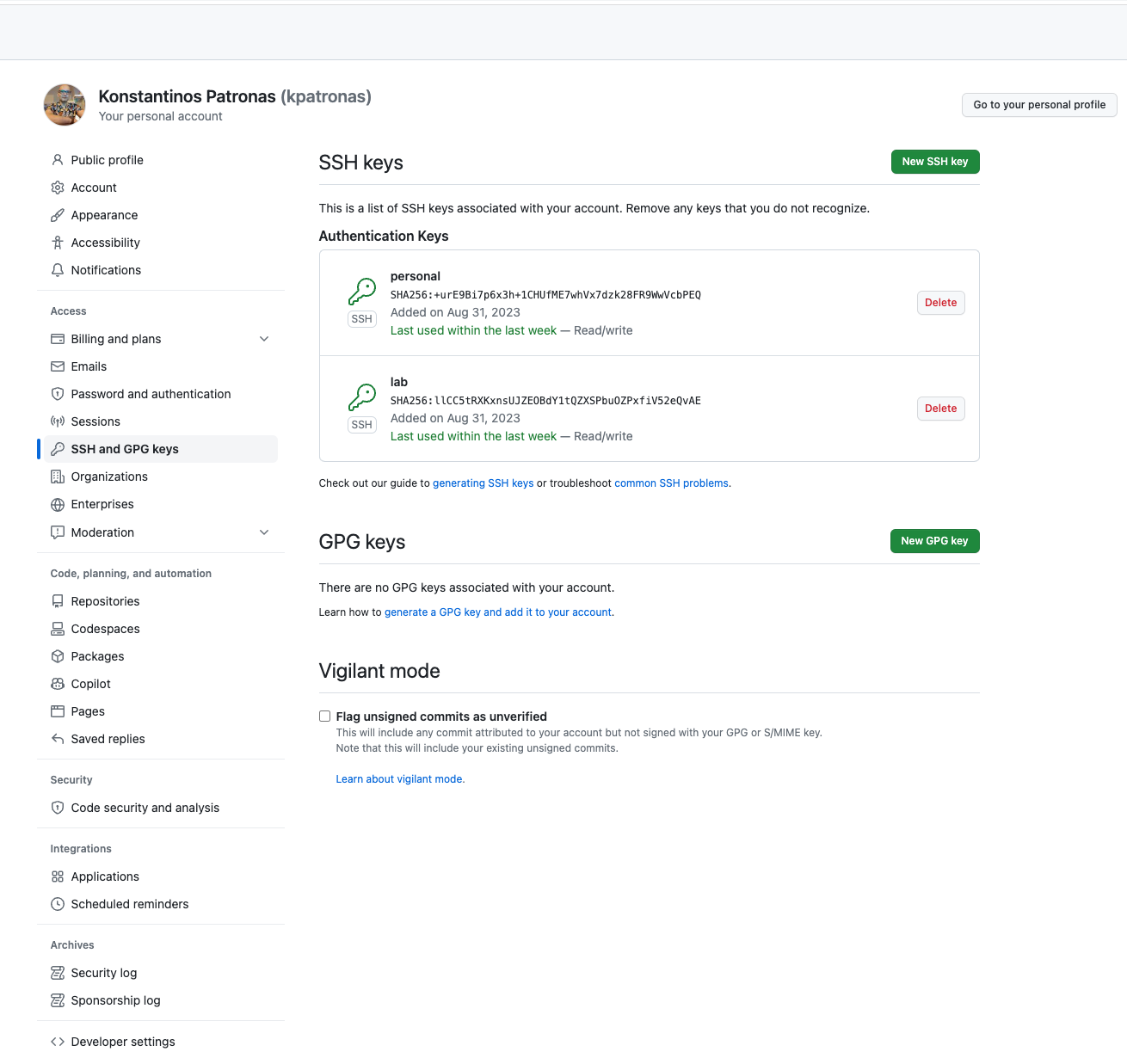
Part 1: Create SSH keys for Github
My favorite and most straight forward way for me to authenticate with Github is with the usage of SSH keys, the procedure is to create a pair of private and public keys from our host and then copy the public key to Github, Then the git tool will use the private key to authenticate vs Github and perform all the needed actions to the remote repository, lets create our keys first.
WARNING: if you already have a pair of keys named id_rsa and id_rsa.pub on your ~/.ssh directory will overwrite your existing keys, so use with care!
$ ssh-keygenPress enter on any prompts that will appear
Part 2: Copy the public key to your Github account
Goto:
- Account Settings → SSH and GPG keys → Click on the “New SSH key” Button
- Paste your public key here and give a Title, then Click “Add SSH key”:
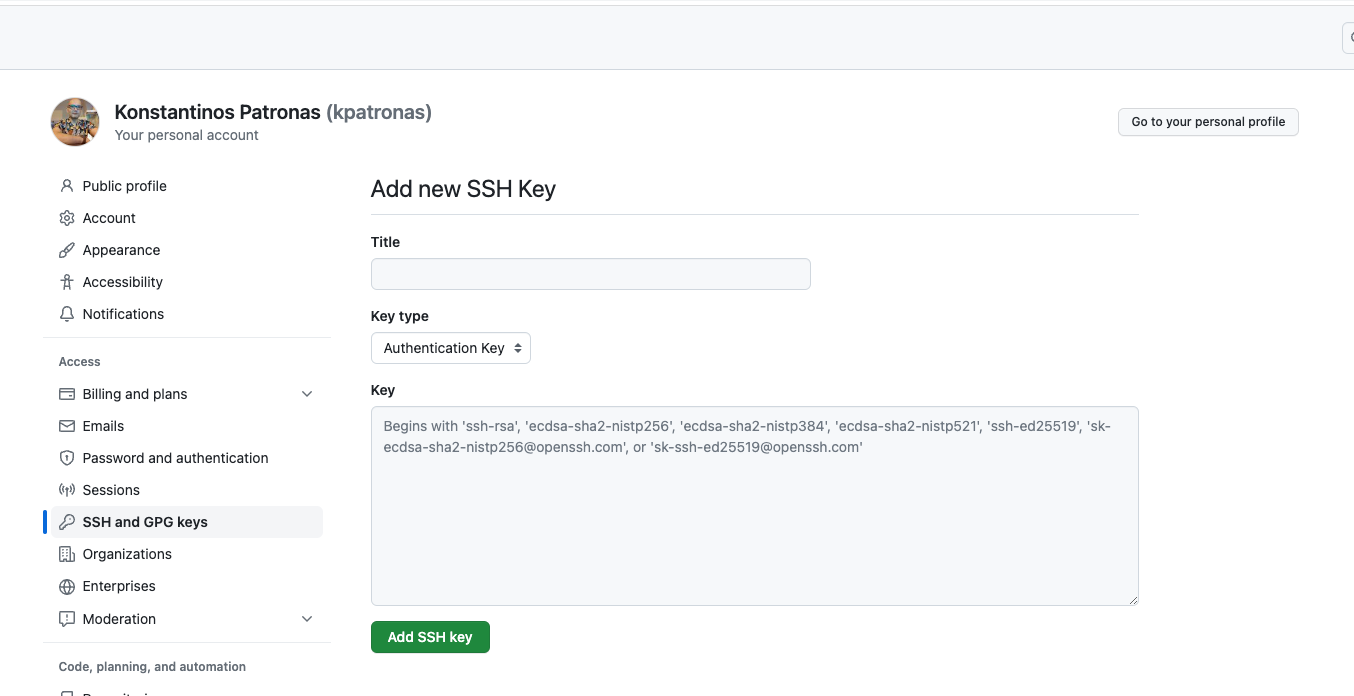
You are done! Github is not accepting Authentication requests using the key you created.
Part 3: Create and clone the repository
Create a new repository on Github, then click on “Code” → “SSH” and copy the git@github.com:<user>/<repository> parameter
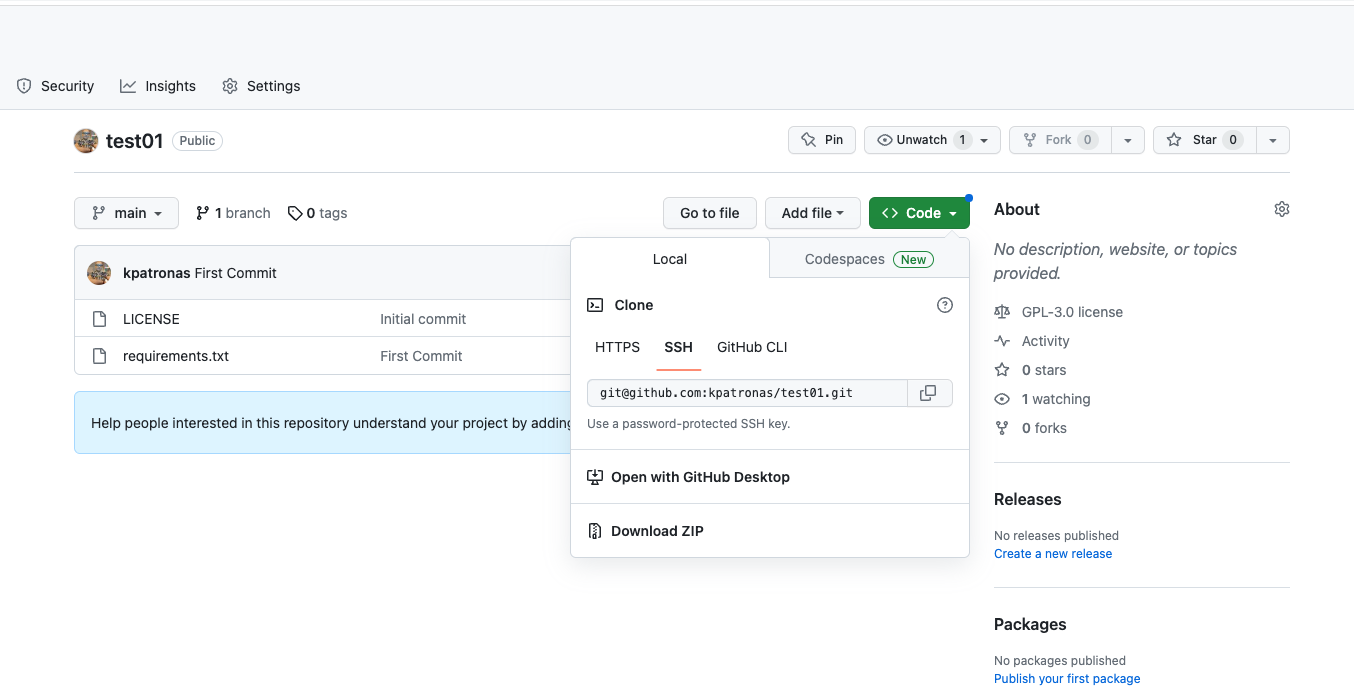
Now on your computer open a terminal and enter
git clone git@github.com:kpatronas/test01.gitThis will clone the repository to your computer ready to configure it for you Python project!
Part 4: Configure the Python virtual environment
A virtual environment is a sandbox that has its own Python and Installed Python libraries, its a very good practice that allows you to have separate environments with different library versions, to create a virtual environment for this project type the following:
Enter the repository directory
cd test01Then create the virtual environment
virtualenv venv && cd venvAnd finally install needed libraries, in this example i did the following
- activated the virtual environment for this project using the
source ./bin/activatecommand - install the fastapi Python library just for example.
- moved out the venv directory and created a
requirements.txtfile if the libraries installed to this environment, this is needed so the next guy who will clone our project will be able to install all the needed libraries using thepipcommand
source ./bin/activate
pip3 install fastapi
cd ..
pip3 freeze > requirements.txt
Part 5: Configure git properly
Next step here is to exclude things that we dont want under version control, one of those things are the virtual environment, is something that everyone can create since the requirements.txt exists, inside yor repo directory enter
echo 'venv' > .gitignoreWhat we just did is to enter the virtual environment directory name to .gitignore file, this file instructs git what files or directories to exclude from tracking
Part 6: First commit
Lets do our first commit to the repository , using git add we instruct git that we want to include all files under version control using the “.”
git add .Now we are going to perform our first commit
git commit -m "First Commit"And finally time to perform our push to the remote repository
git push -u origin mainThe push should be completed without problems!
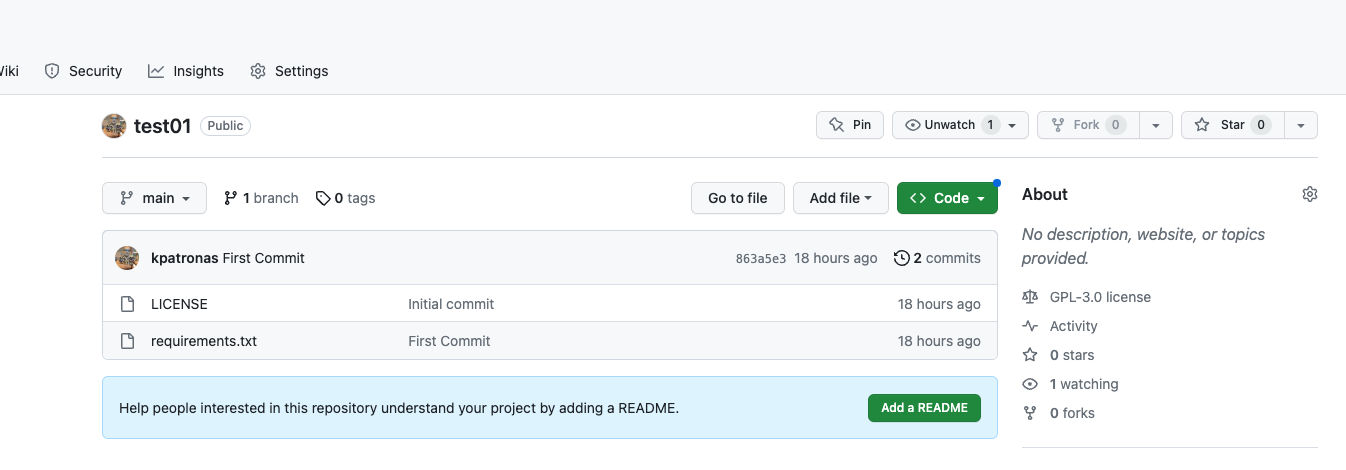
We can verify this by visiting the webpage of our github repository, we can verify that the requirements.txt exist but the virtual environment no!
Conclusion
This is the end of our article! i hope you enjoyed this article and help you understand how to configure a GitHub repo to host a Python project properly!
$ ls ./see-also/
$ ./buy-me-a-coffee ☕ // found this useful? I write these in my spare time